
UK Guide Dogs
A development tracking app designed for Guide Dogs to help puppy raisers log progress, share updates, and better understand each puppy’s needs.
_pn.png)
Project Overview
Guide Dogs UK supports thousands of volunteer puppy raisers across the country, helping prepare young dogs to become life-changing companions for people with sight loss. However, the current support system, largely reliant on printed handbooks, email, and ad hoc messaging, left volunteers feeling unsure and unsupported.
Our mission: design a digital experience that gives raisers proactive guidance, reduces staff workload, and builds community through smart, accessible design.
Client
UK Guide Dogs
Role
Product Designer
Project Type
App Design
Prototype
Project Timeline
2022-2024
The Challenge
The puppy raising process is demanding, especially for first-time volunteers.
They often reported:
-
Uncertainty about what to do at different stages
-
Reliance on outdated printed materials or slow response times
-
Feelings of isolation and lack of community
Guide Dogs UK staff were also stretched thin, handling frequent repetitive queries and manual tracking tasks.
We needed a solution that:
-
Delivered timely, stage-based guidance
-
Used automation to reduce staff dependency
-
Fostered a stronger connection between raisers and the charity

Design Workshop & Shared Vision
The project began with a collaborative workshop where our team of two designers and a strategist worked closely with the Guide Dogs team to align on their vision of helping every puppy reach its full potential.
We focused on understanding two key users: puppy raisers and puppy development advisors. Through brainstorming and open discussions, we explored their goals and challenges, such as tracking training progress, managing daily routines, and staying connected with their support network.
This early discovery phase helped shape the foundation of the app, ensuring it was built around real user needs and fully supported the journey of each puppy as they grow into confident guide dogs.

User Survey
Following the initial workshop, the team created a survey to gather broader insights from the puppy raising community. The survey received over 600 responses, providing a rich understanding of current behaviours, pain points, and tools in use.
We discovered that many puppy raisers were relying on manual methods like notebooks, spreadsheets, or scattered messaging apps. This often made tracking progress and sharing updates with advisors challenging. The responses clearly showed a need for a more streamlined, centralised tool to support daily routines and communication.
These insights directly informed the app’s direction, helping us focus on features that would truly support the real-world needs of puppy raisers and advisors.

Personas, Functions
and User Journey
Based on the survey responses, we began mapping out the feature list, detailing the needs and frustrations of the two key personas: puppy raisers and puppy development advisors. We also created a user journey that captured all the steps and insights we had gathered, ensuring the app would address each user’s specific challenges and support their daily tasks.

MVP Mapping
From the feature list, we carefully mapped out the MVPs by categorizing the features into four key groups: MVP, User Need, Must-Have, and Should-Have. This categorization process was crucial as it helped us prioritize the most essential features and align them with user requirements. It provided clarity on what to focus on first and ensured that we had a solid foundation before moving on to the next step, which was developing the low-fidelity prototype. This structured approach allowed us to efficiently plan the development process and ensure that the prototype addressed both user needs and project goals.
Low Fidelity Prototype
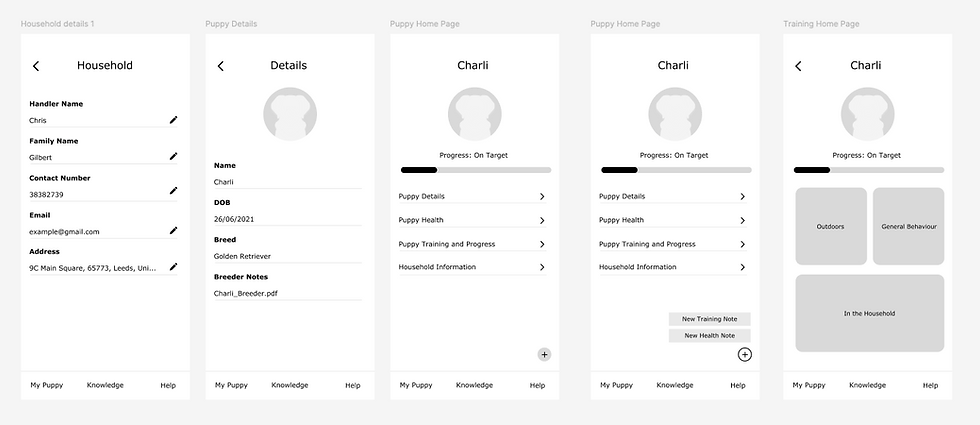
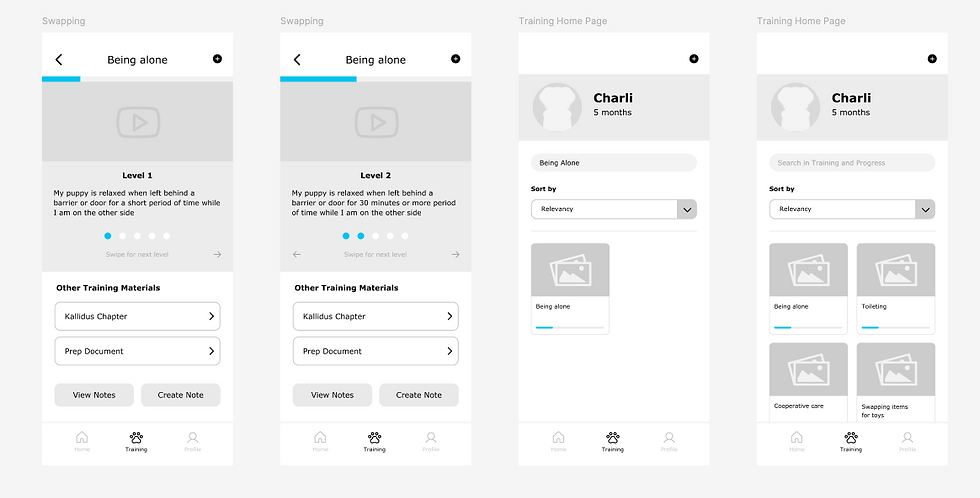
After finalizing the feature prioritization, we moved into the low-fidelity (lo-fi) phase, where we began sketching out the basic structure and flow of the product. During this phase, we focused on creating simple, wireframe-style designs that allowed us to map out the user experience without getting caught up in visual details.
We used Figma to create the lo-fi prototypes for both mobile and desktop versions. This was a strategic decision, as we wanted to ensure that the product would be fully responsive and perform seamlessly across different devices. By designing for both mobile and desktop from the start, we were able to test the user flows on multiple screen sizes and refine our approach for future scalability. This approach helped us identify potential usability issues early on and ensured a smoother transition into the high-fidelity design phase.


User Testing
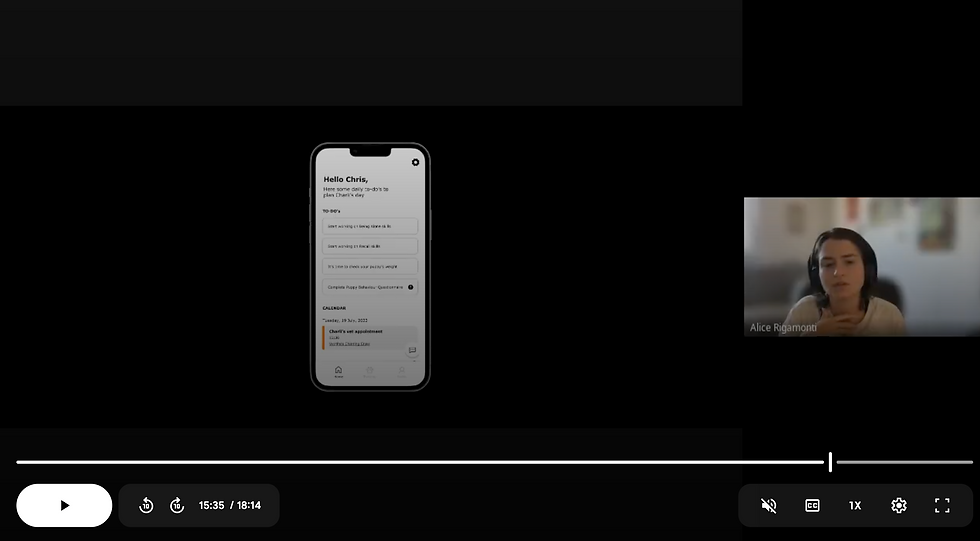
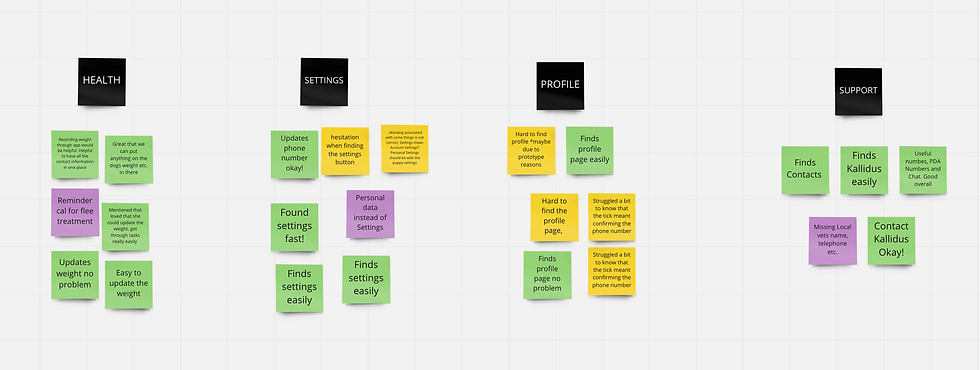
The low-fidelity prototype was tested with a select group of users from the Puppy Raisers group. By conducting the interviews we had the opportunity to observe users interacting with the lo-fi prototype and gather insights directly from them. Along with tracking user behaviors and interactions, we engaged in conversations about the daily challenges users face and how the tool could help address those issues. This hands-on feedback provided valuable insights that helped validate design decisions and ensured the tool would meet real user needs.
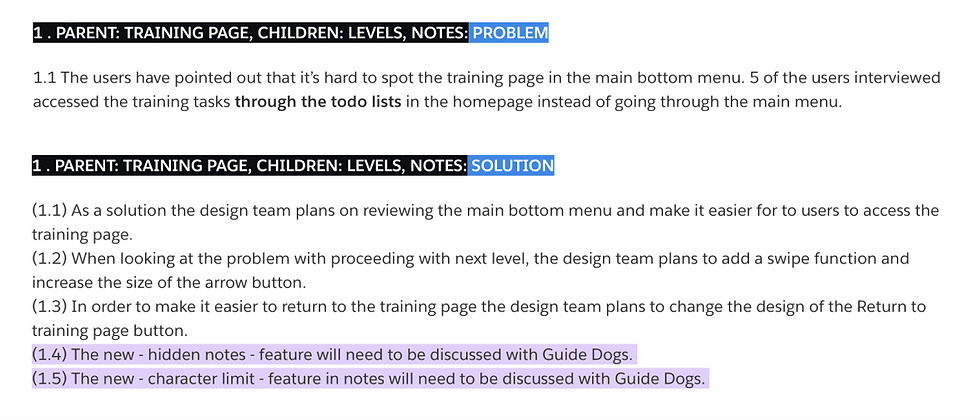
After the user testing sessions, a thorough analysis and synthesis of the results was conducted. We reviewed the feedback and identified key patterns, which were then ranked and prioritized based on their significance. Once all feedback was collected and organized, we outlined potential design solutions aimed at addressing the issues raised, with the goal of enhancing the overall user experience.

High Fidelity Prototype
Based on the user feedback, we began crafting the high-fidelity prototype in Framer. We carefully implemented the design changes gathered during user testing, addressing issues such as navigation flow, usability, and visual clarity.
The new prototype, which is responsive and works seamlessly across various devices, adheres to the Guide Dogs design system and branding guidelines. By incorporating these elements, we ensured a consistent and intuitive user experience across all platforms, while also refining the tool to better meet user needs and preferences.

High Fidelity Prototype
Although we used Figma for the low-fidelity prototype, we opted for Framer for the high-fidelity version. At the time of research and development, Guide Dogs had not yet hired a development team, meaning we had no in-house developers to consult. To bridge this gap, we brought in our own software engineering team to provide guidance.
All designs have been handed over to Guide Dogs, where their small development team is currently working on building the app. Development is slow as they are also incorporating the new designs and processes into their existing dog training protocols.


_pn.png)